
TransposeAny is a free Chrome extension that sits beside YouTube, Instagram Reels and the Spotify web player with Live Chords, Change Key, Slow Down, A-B Loop and EQ in one panel. No account, nothing uploaded.
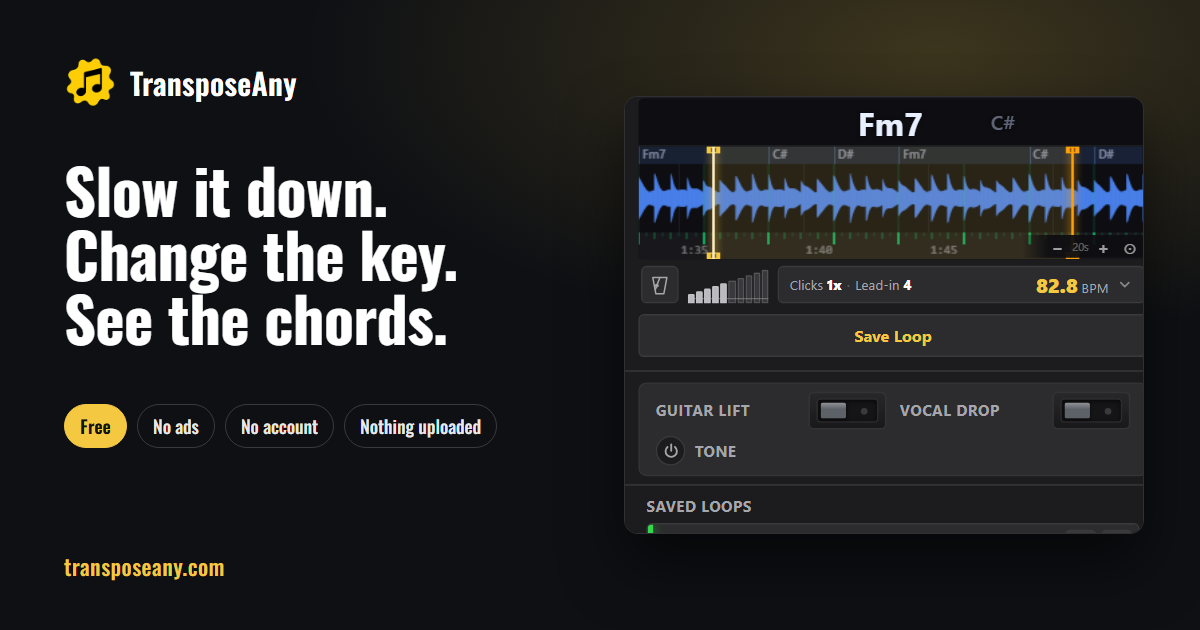
TransposeAny at a glance
- Platforms
- Browser extension
- Free plan
- Yes
What is TransposeAny?
TransposeAny adds a practice panel beside YouTube, Instagram Reels and the Spotify web player. Live Chords shows chord names along the waveform, aligned to the beat, with the next chord waiting beside the current one. Change Key transposes by up to 12 semitones without changing the tempo, and the chord names follow. Slow Down plays from 25% to 200% without changing the pitch.
A-B Loop lets you repeat a passage with loop edges that land on the beat, a count-in and a metronome that clicks on the song's own beats. A tone pad, a focus band and a ten-band EQ help you hear the part you are learning. It all runs in the browser: no account, no ads, nothing uploaded, and speed, key, tone and loops come back per video.
Who is TransposeAny for?
Singers, guitarists, pianists, violinists, drummers and music teachers who learn songs from online video. It suits anyone who wants a song in a more comfortable key, a slower tempo to learn a fast passage, the chords as the song plays, or a beat-aligned loop to practise a section.
Highlights
- Change Key: up to 12 semitones, tempo untouched, chord names follow
- Slow Down: 25% to 200%, pitch untouched
- Live Chords: chord names along the waveform, aligned to the beat
- Smart Loops: loop edges land on the beat, with a count-in
- Metronome locked to the song's own beat
- Runs in the browser; audio is never uploaded
How much does TransposeAny cost?
Free.